How do I set up AI correctly as a non-technical business owner?
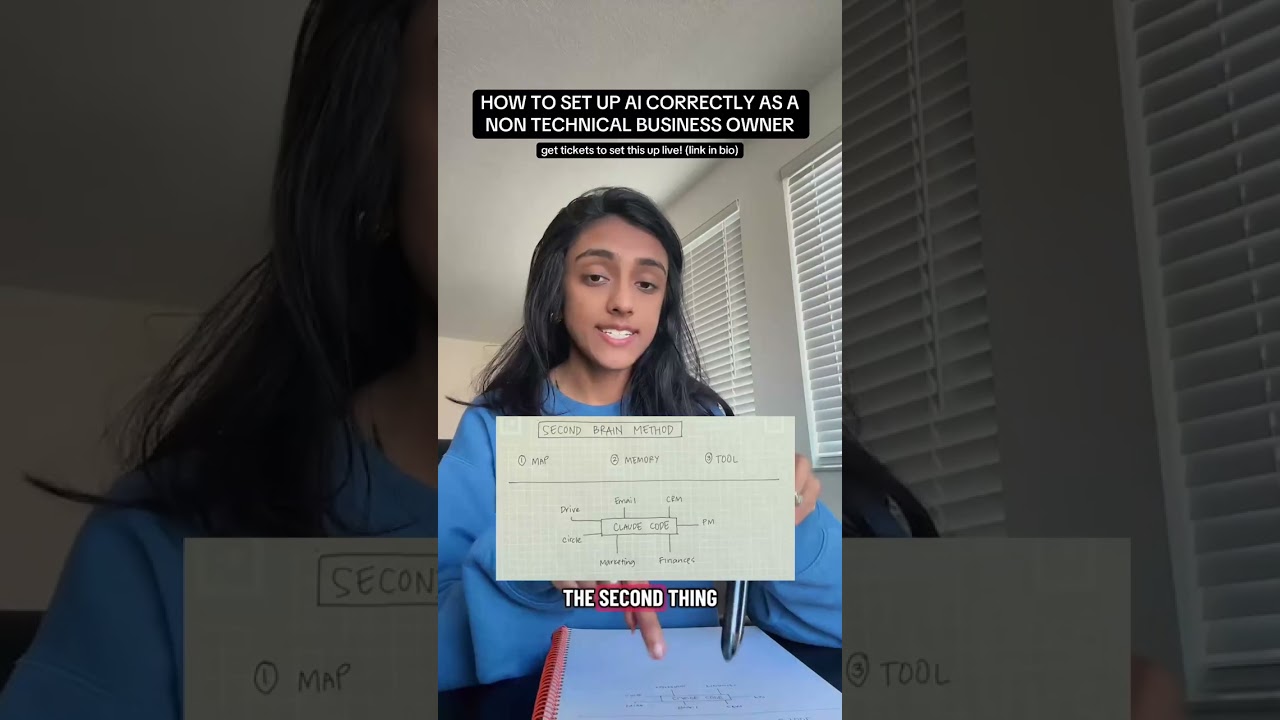
Three things, before any AI tool: map how your business runs as workflows (trigger, steps, completion condition, owner, input, output), get the information in your head into files your AI can read, and pick one tool as the hub. Then you do your work through that one tool instead of six open tabs.
How to set up AI correctly as a non-technical business ownerWatch on YouTube
In this video
Transcript, lightly cleaned for reading
0:00 Half a sheet of paper
If I told you that this half sheet of paper, not even a full sheet, has everything you need to know about AI, operations and data to get ahead in your business, and to get ten times more done in one day than you would in ten days, would you believe me? Most of you wouldn't, because there's a lot of AI hype going on, and I completely understand that. But this isn't AI hype. This has very little to do with AI. It's about how you set up your business operations, and how you integrate AI, data and operations so you get more done in a day.
You don't need to know how to code. You don't need to know anything about AI. You don't need any background knowledge, and you don't need to implement every little AI tool or tip you see on the internet. You do these three things, and then you use the result. I'm going to go through the three things, and then how I use the result day to day. Overall, this is what I call the Second Brain Method. It's what I teach and what I help you implement. If you need help with any of this, I'm doing three workshops in the near future: how to make decisions with data, how to do data visualization, and creating your entire second brain setup.
1:14 First: map it out
To get started, the first thing is to understand that the majority of your problems are not coming from a lack of AI. Your data and your systems need to be good to go before you even consider an AI tool. The way I recommend you figure that out is by mapping it out. How are your customers acquired? How do you deliver your service? Turn all of it into workflows, where you understand the trigger: what causes something to happen. Is it a frequency based trigger or a conditional one? Does it happen every day at 8 a.m., or whenever a client gets signed? Those are different kinds of triggers. Then what exactly happens. Then the completion condition: when do you know the system is done? Who owns it? What is the input? What is the output? That's what you map.
2:05 Second: memory
The second thing you need is memory. In basic terms, everything living up here in your head, you want somewhere on your computer where your AI can reference it. This goes back to data: where does your data live? It ties into your systems too, because the input of a system has to be somewhere your AI can find it before it can complete the steps. The mapping captures your current state, because you can't fix what you don't know is broken, and you want it to be very data oriented. The memory is where the data lives. If it's living in your head, you have to get it out of your head. That's the extraction of your processes, your habits, your client preferences, things like that.
2:46 Third: pick one tool
The third thing is to pick one tool. You never, ever want multiple tools with the same function. Pick one tool that's going to be your main hub, your AI tool. I always recommend Claude Code. You could use Codex, or something equivalent. You don't want the chat version of any of these tools, you want the code version. Whatever you decide, you need one tool for this. You don't need Codex for certain things and Claude Code for other things. We're going for simplicity in the setup. This is for non-technical business owners who want more productivity and efficiency, not to become overly AI.
3:26 The result: one tool open
The result of these three things alone: once you've connected all your tools to Claude Code, or whatever tool you chose, you only have Claude Code open, and you do all your tasks through it. That's an operational shift. Instead of opening Chrome, opening six tabs and going through your emails, you work through Claude Code. You say, "I need to write a proposal for Jen." It goes through your email, your meeting transcript, and any other information it has from your memory and the tools you've connected, and it creates the proposal in your structure.
4:05 Why the three go together
That's why you map it out: so you understand your systems. You need the memory so you understand your data. And you need one tool for operational simplicity, and then you only use that tool to do the rest of your work. If this is something you want to implement in your business and you need more help, I have a program where we do live workshops and the second brain setup, and I've built a software, which I've used for my consulting clients, that maps out your business in 30 minutes so you don't have to do the mapping yourself. If you'd like any of that, the link is in my bio.
Questions this video answers
Free
Map your own business the way I mapped this one.
The Systems Map is every system a service business runs on, in the order a stranger becomes a client, with the questions that get each one out of your head. Answer them out loud and you're not taking notes, you're extracting your own system. It's free.
Get the free Systems Map →No call, no pitch. The map opens on the next page.